
How it works
Follow the pictures and arrows, one step at a time.
Open the Look Book →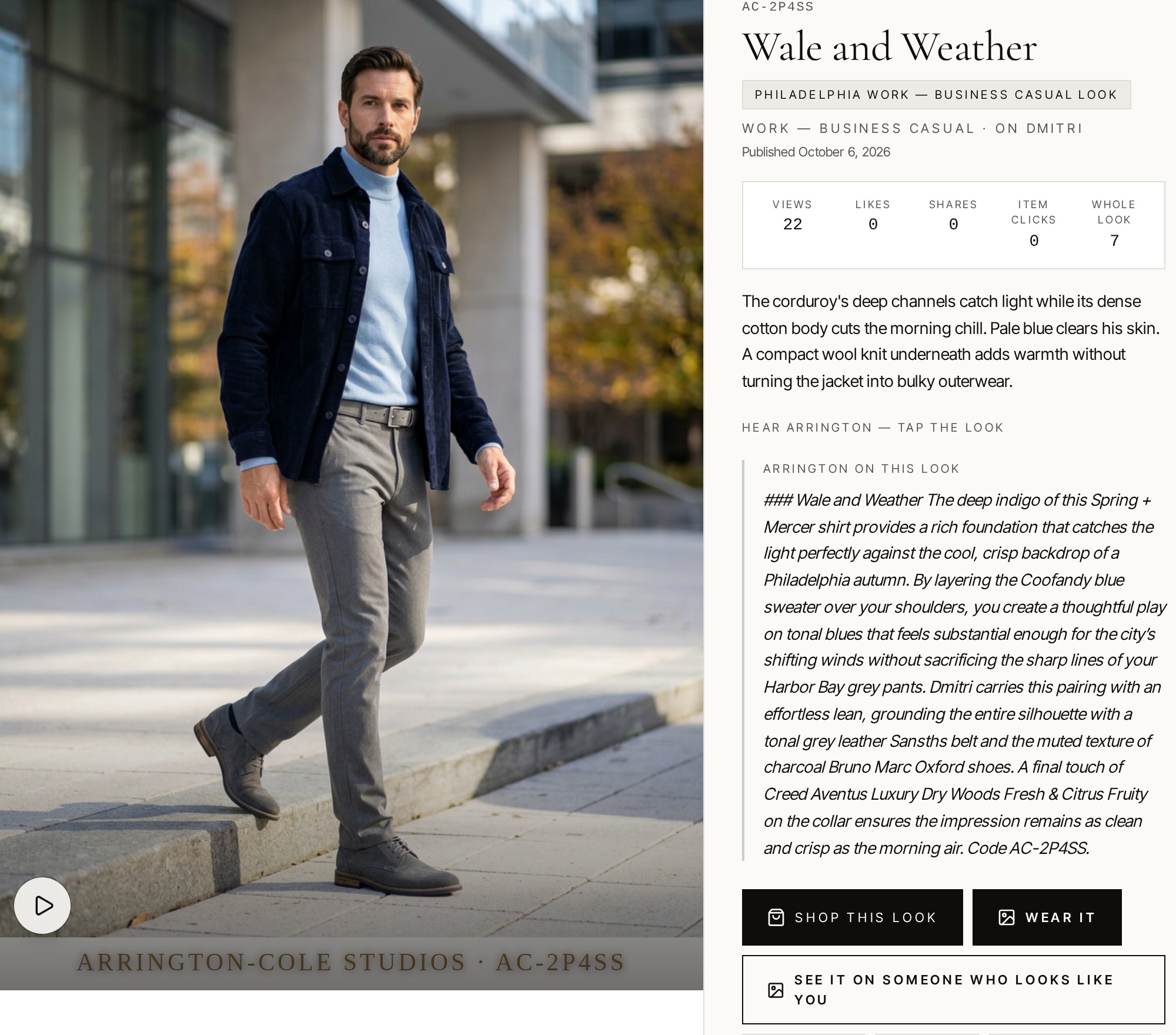
Arrington: “See a look on social that you like? Copy the look code at the bottom right of the picture. This one is AC-2P4SS.”
Prefer to read? Every step is pictured below.
See a look you like on social
Copy the look code at the bottom right of the picture. This look's code is AC-2P4SS.
Next: Go to arrington-cole.com with that code.
Open the site
Go to arrington-cole.com. Tap Explore in the top bar, then tap Look Book.
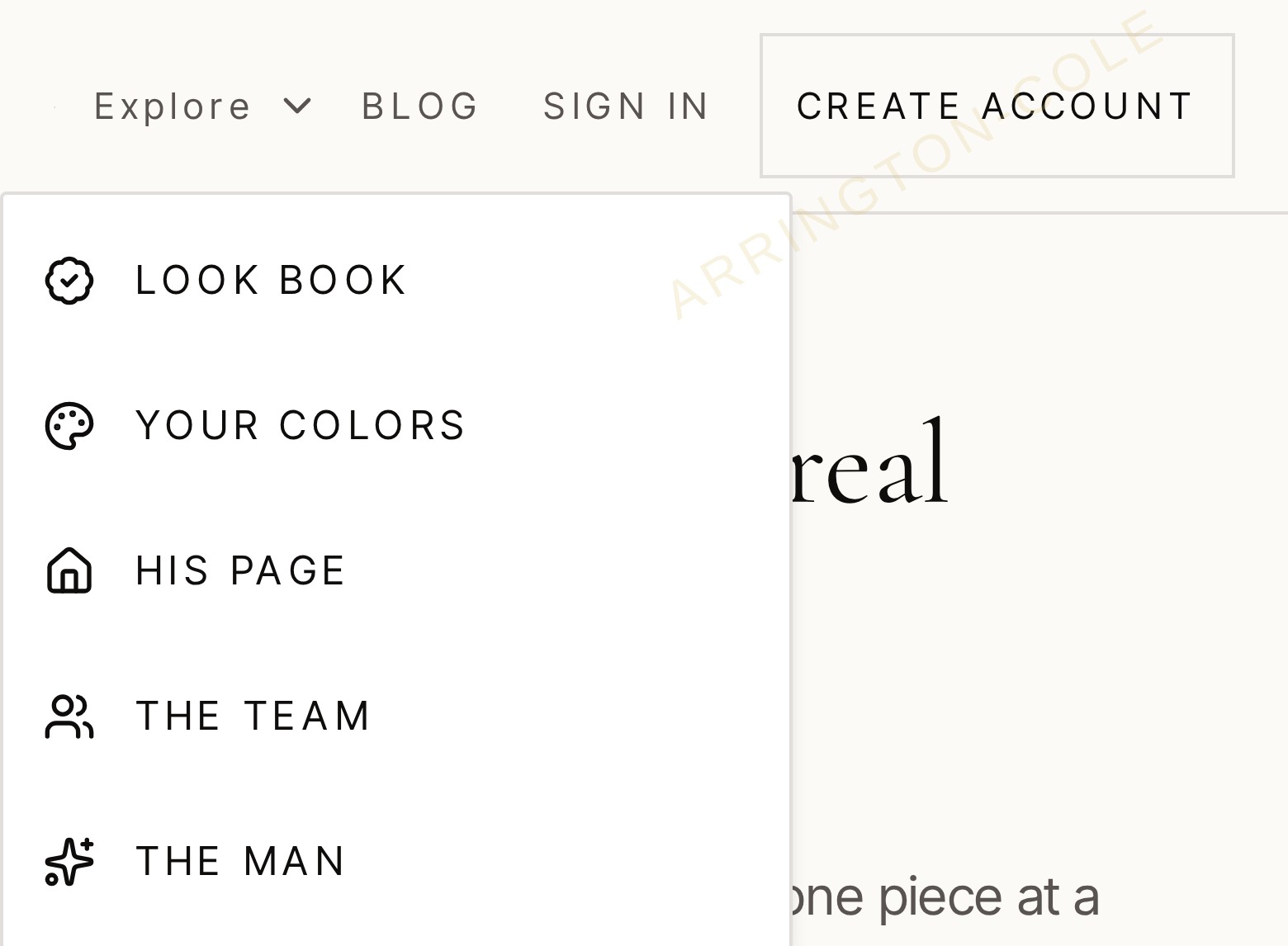
Next: The Look Book opens. The steps below happen there.
Open a look
Paste the code you copied from the social picture into the box and tap View this look.
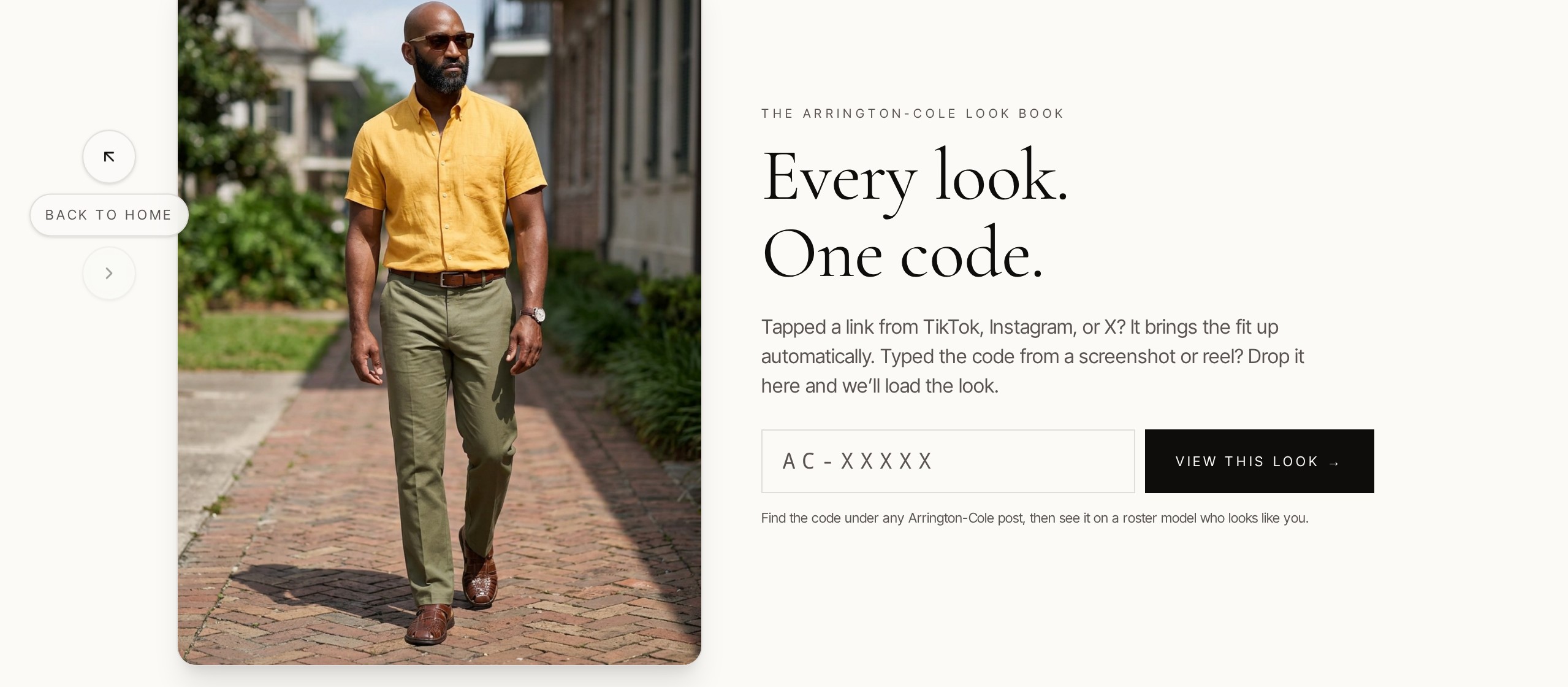
Next: The look's page opens.
Pick what to do
Tap play to hear Arrington. To buy this look, press Shop this look, beside Wear It.
Next: Shop this look opens the Buy this look window. Wear It or See It On Someone opens the canvas.
See it on someone like you
Tap the model built most like you, then pick his stance.
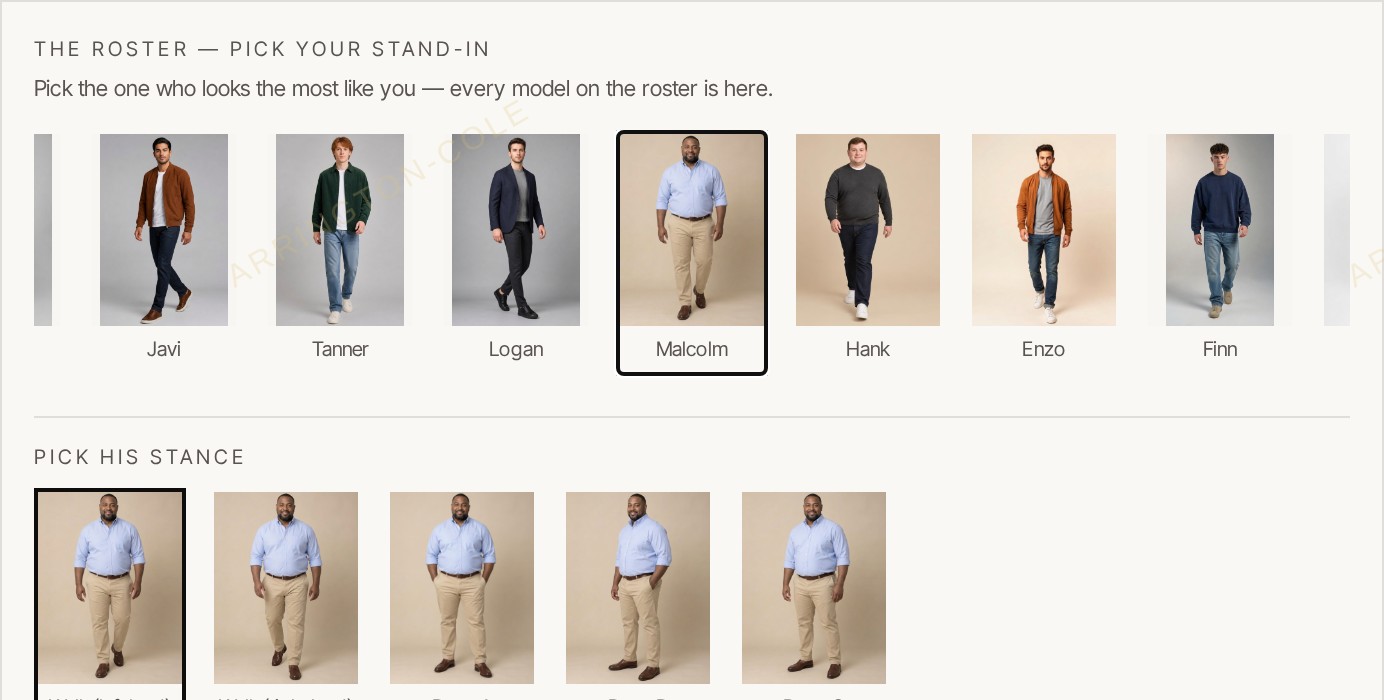
Next: His selected pose appears in the canvas beside the original outfit, as shown below.
Put the look on your selected pose
The original outfit is on the left. Your selected model and pose are beside it, still in his own clothes. Tap Put It On.
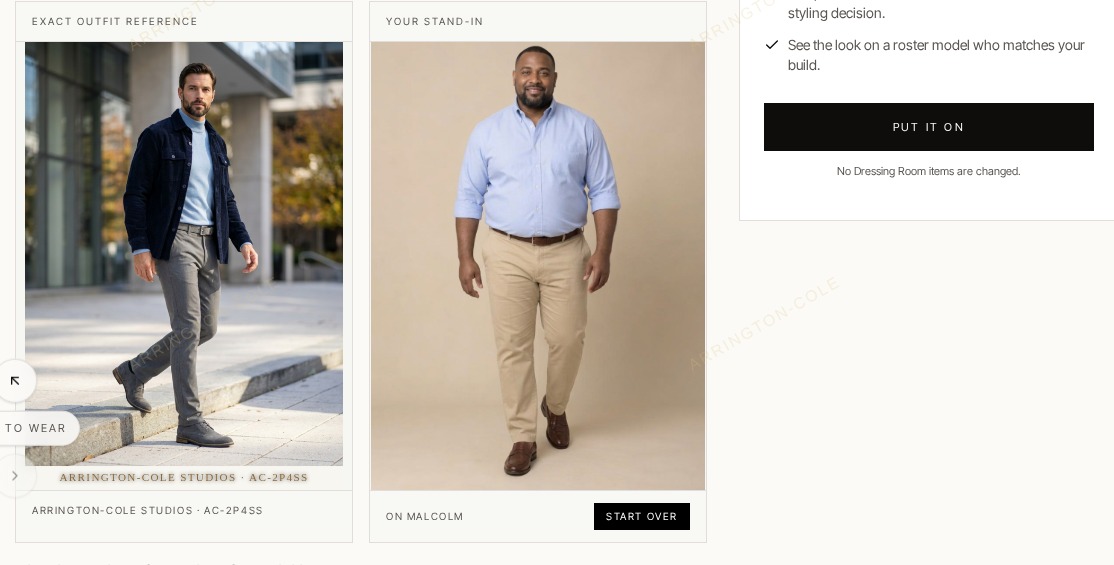
Next: The countdown starts, then the finished look appears on him.
Watch your look being prepared
The piece indicators move while your look is prepared. The clock counts elapsed time, not time remaining. Waiting time varies.
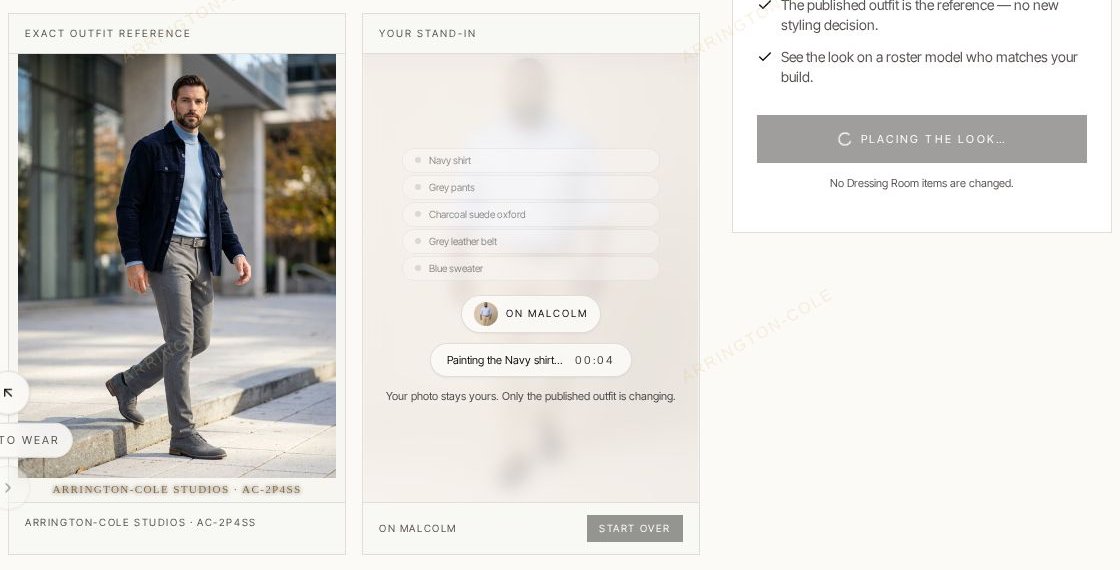
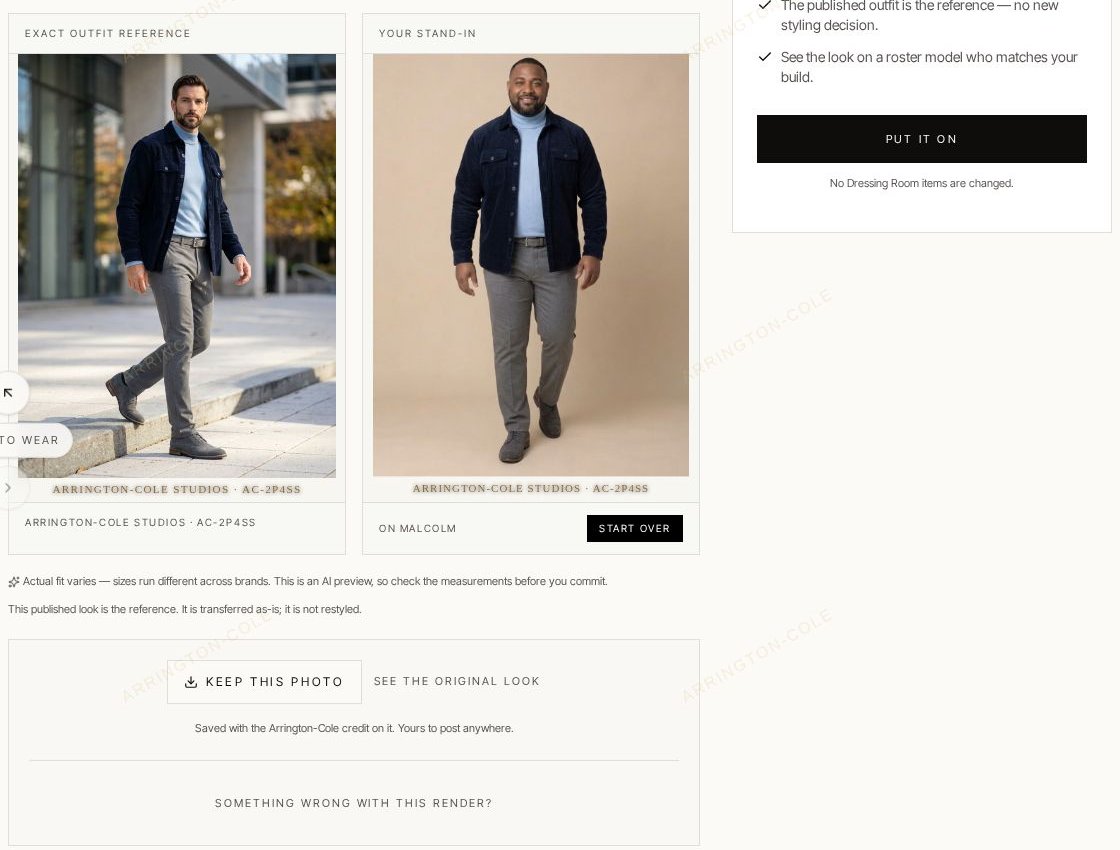
Next: The finished outfit shows on the canvas.
See the outfit on the canvas
Here's the look on Malcolm. Keep the photo, or tap Start Over to try someone else.
Wear it yourself
Tap Use Your Own Photo and pick one full-body picture of you. Then tap Put It On.
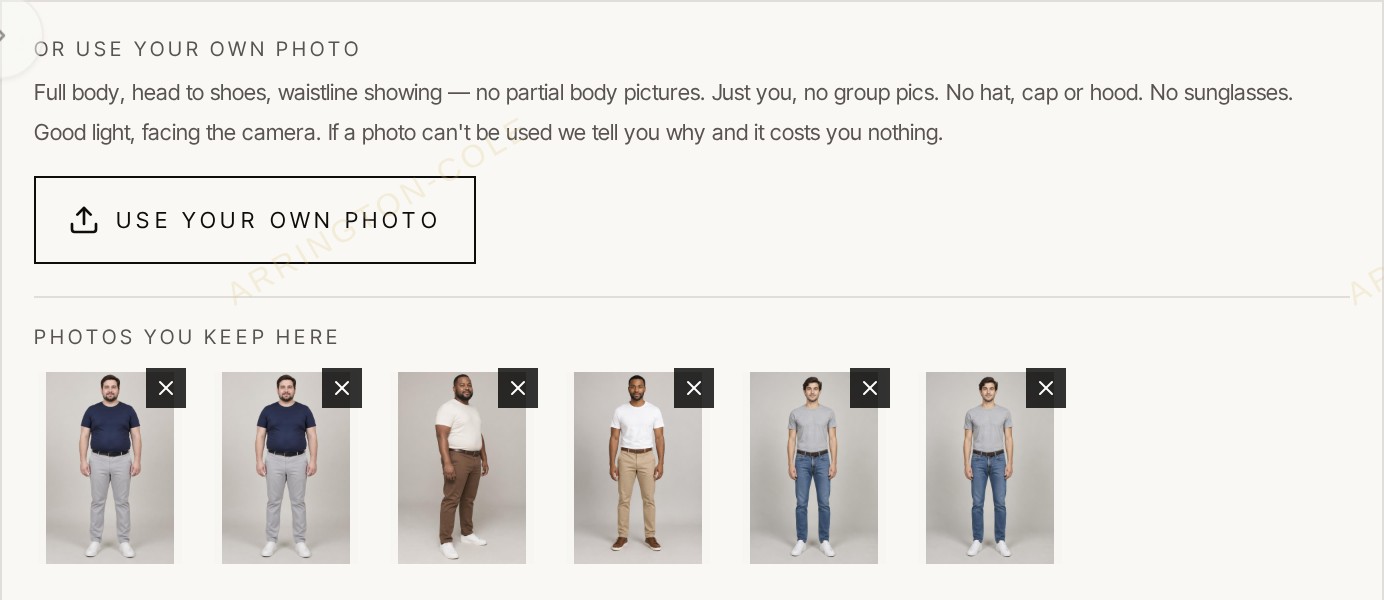
Next: Follow the steps above to see the look on you: your photo appears beside the original, then Put It On starts the countdown. Your photos stay saved here for next time.
Buy this look
Buy one piece or the entire look. On the look's page, tap Shop this look.
Next: The Buy this look window opens, as shown below.
Buy one piece or the whole look
For the whole look, tap Send all to the store. For one piece, tap Purchase at the store beside that piece. Scroll for the rest.
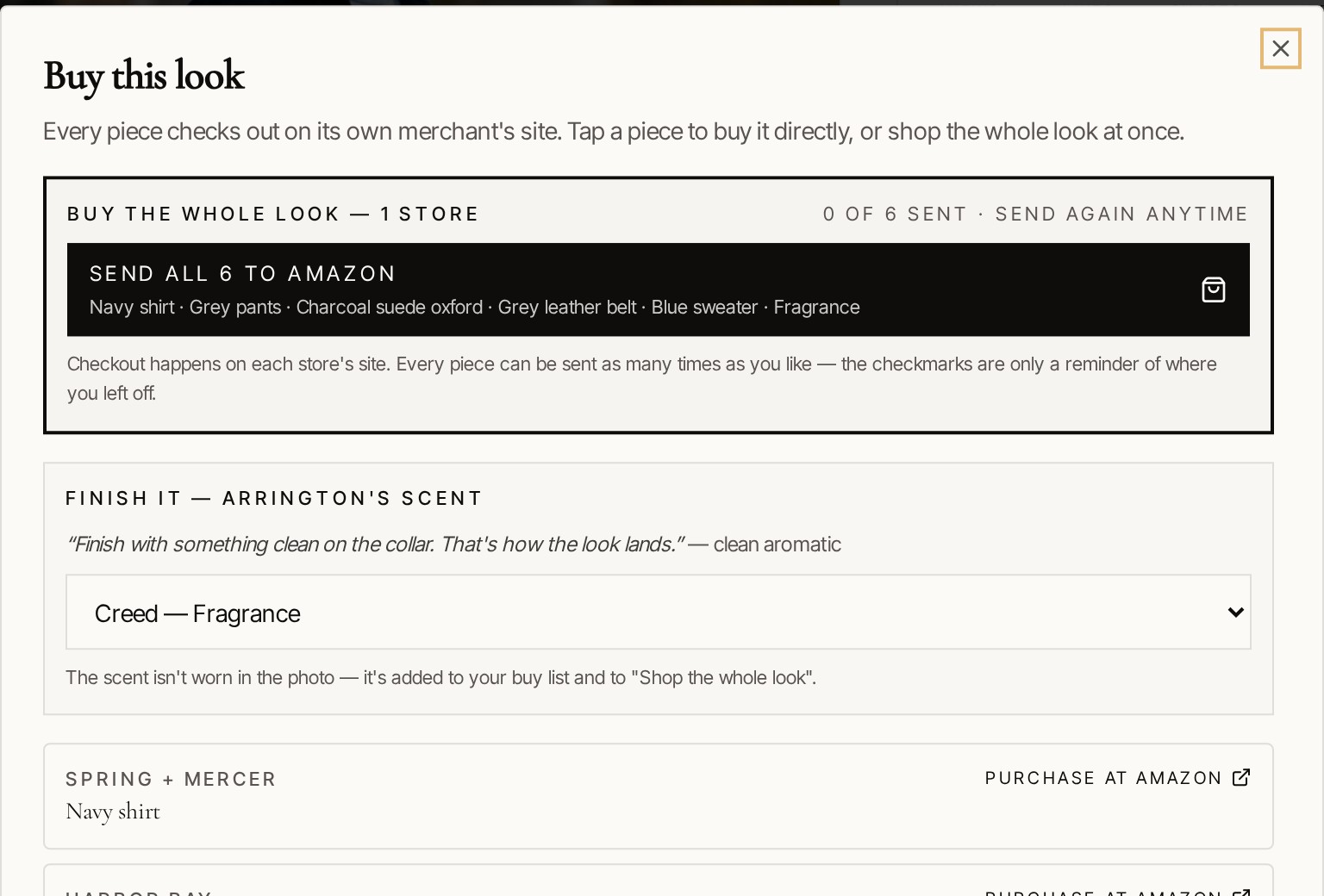
Next: Choose sizes and complete your purchase on the store's own site.
Photo requirements
For a high-quality photo, follow the requirements below.
- Full body, head to toe — no partial body pictures.
- Waistline visible.
- No hat, cap or hood.
- No sunglasses or shades.
- Just you — no group pics.
- Good light.
- Facing the camera.
- No mirror selfies — set your phone on a timer or have someone take it.
A free account is needed to wear a look. A photo we can't use costs you nothing.